What is a client portal?
A client portal is a secure digital environment where a user can access relevant information and complete specific actions, for example view orders, invoices, documents, requests or profile information.
Solution
A client portal or customer dashboard helps a company manage communication with clients, partners or employees in one place. It is a secure digital environment where users can access relevant information, submit requests, track order or document status and use company services without unnecessary emails or phone calls. iConcept, a web development agency in Latvia, builds client portals tailored to a company’s processes and systems.
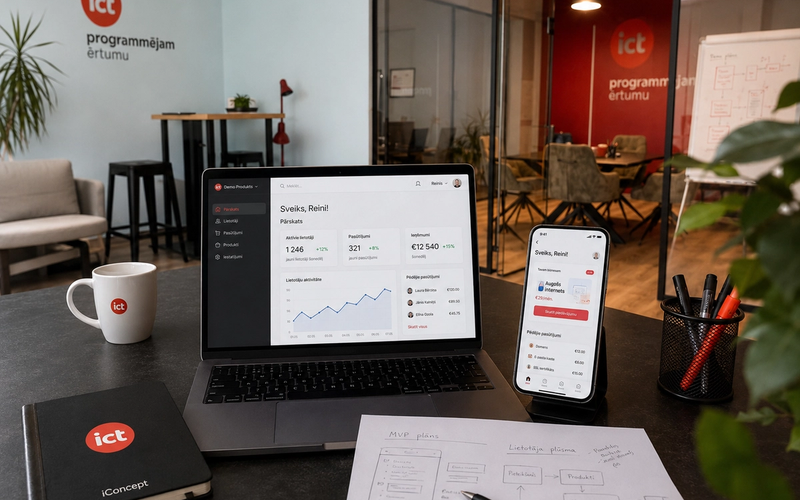
iConcept develops custom client portals, self-service dashboards and B2B platforms that connect with a company’s existing systems: CRM, ERP, warehouse, accounting, payment or other internal platforms. Our goal is to build a solution that reduces manual work, improves user experience and helps the company work more efficiently.
A client portal is useful for companies that regularly serve clients, partners, suppliers or employees and want to move part of their processes into a digital self-service environment, whether those end users are B2B partners or B2C private customers. It helps reduce the number of manually processed requests, because users can find the information they need and complete actions directly in the system.
This type of solution is especially useful when clients or partners often need to access order statuses, contracts, invoices, documents, reports, requests or individual offers. The portal becomes a single access point for all important information.
A client portal can help to:
The functionality of a client portal depends on the company’s processes and user needs. For one company, it may be a simple self-service portal with documents and requests. For another, it may be a full B2B platform with orders, prices, stock availability and ERP integration.
In a client portal, users can:
This approach allows customers to get the information they need faster, while the company can process requests more efficiently and reduce administrative workload.
A client portal is not one fixed product. It is a digital solution that can be adapted to different business processes. iConcept develops portals for clients, partners, employees and B2B collaboration needs.
We can develop:
Each portal is built around the specific needs of the company. This means the solution can include only the features that users and teams actually need, instead of overloading the system with unnecessary modules.
For a client portal to work efficiently, it often needs to be connected with other company systems. This allows data to be exchanged automatically and helps avoid manual information entry in multiple places.
A client portal can be integrated with:
Client portals can also be extended with e-signature solutions such as Dokobit, as implemented in the LAUTUS VIDE client portal, where electronic signing is part of the document workflow.
For example, a B2B client can see individual prices and order history from the ERP system, while a new request is automatically sent to the CRM. This type of integration helps the company process data faster and provide users with up-to-date information.
Learn more: CRM system.
Client portals often process sensitive data: contracts, invoices, financial information, customer data, documents or internal business information. That is why security and access control are one of the most important parts of client portal development.
When developing client portals, we plan for:
This helps ensure that each user sees only the information intended for them, while the company keeps control over its data.
We start client portal development by understanding the company’s processes and user needs. It is important for us to understand who will use the portal, what actions users need to complete and which systems the solution must connect to.
The development process usually includes the following steps:
In some cases, a company may be able to use a ready-made platform or adapt an existing tool. For example, Salesforce, Microsoft Dynamics 365 or Zoho Creator may be suitable if the company’s processes fit well into the logic offered by these systems.
However, a ready-made solution does not always cover specific business needs. If the company has unique processes, complex integrations, special access rules or non-standard user flows, a custom-built client portal is often the better option.
Custom development allows you to:
iConcept helps evaluate whether it is better to use a ready-made tool, adapt an existing platform or build a custom solution from scratch.
The iConcept team has experience in developing custom business systems, client portals, B2B platforms, CRM, ERP and integrations. We do not only develop functionality. We help understand how a digital solution can improve daily business processes.
When working on client portals, we focus on:
Our approach is practical. We start with the most important needs, build a stable first version and then help develop the solution further based on user experience and business goals.
If your company still manages client, partner or employee service through emails, Excel files or manual processes, a client portal can be the next step towards a more organized digital environment.
Tell us what information users should see, what actions they need to complete and which systems the portal should be connected with. We will help evaluate the idea, suggest the right approach and develop a solution that fits your business needs. Call +371 67 288 887 , write to info@iconcept.lv or leave an application at https://iconcept.lv/en/contact-us
A client portal is a secure digital environment where a user can access relevant information and complete specific actions, for example view orders, invoices, documents, requests or profile information.
These terms are often used in a similar way. A customer dashboard usually refers to a personalized user area, while a client portal can be a broader self-service or collaboration platform for clients, partners or employees.
Yes, a client portal can be integrated with CRM, ERP, warehouse, accounting, payment and other company systems. This allows data to be exchanged automatically and reduces manual work.
Yes. A client portal can include different user roles and access rights, so each user sees only the information and features intended for them.
The timeline depends on functionality, integrations and design complexity. A simpler portal can be developed faster, while more complex solutions with multiple integrations require more detailed planning and development.
Yes, this is often the best approach. The first version can include the most important features, such as user profiles, documents and requests, and new features can be added gradually later.
Yes, after launch we can help with maintenance, improvements, new feature development, additional integrations and technical support.


